

What it does
Scan to PDF with edge detection, then crop, rotate and filter each page
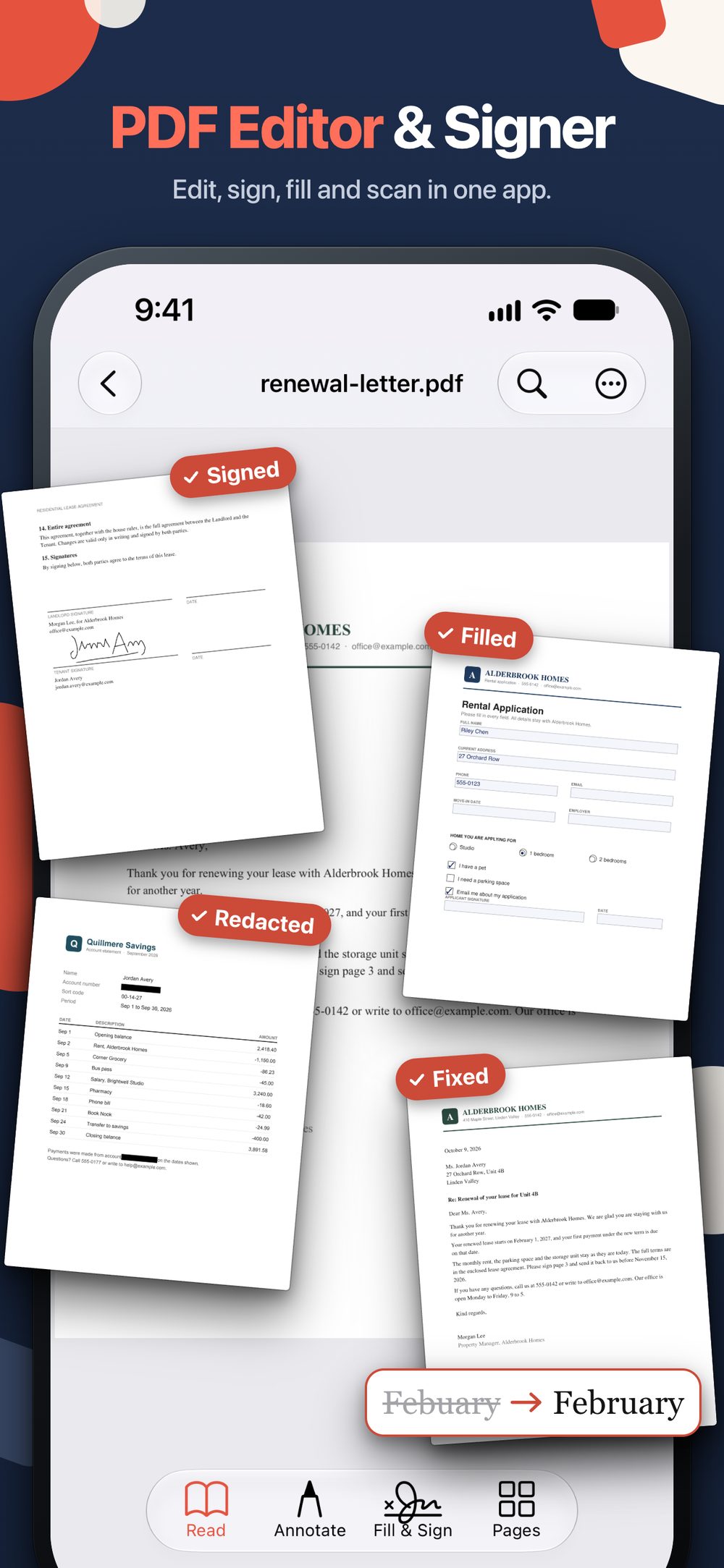
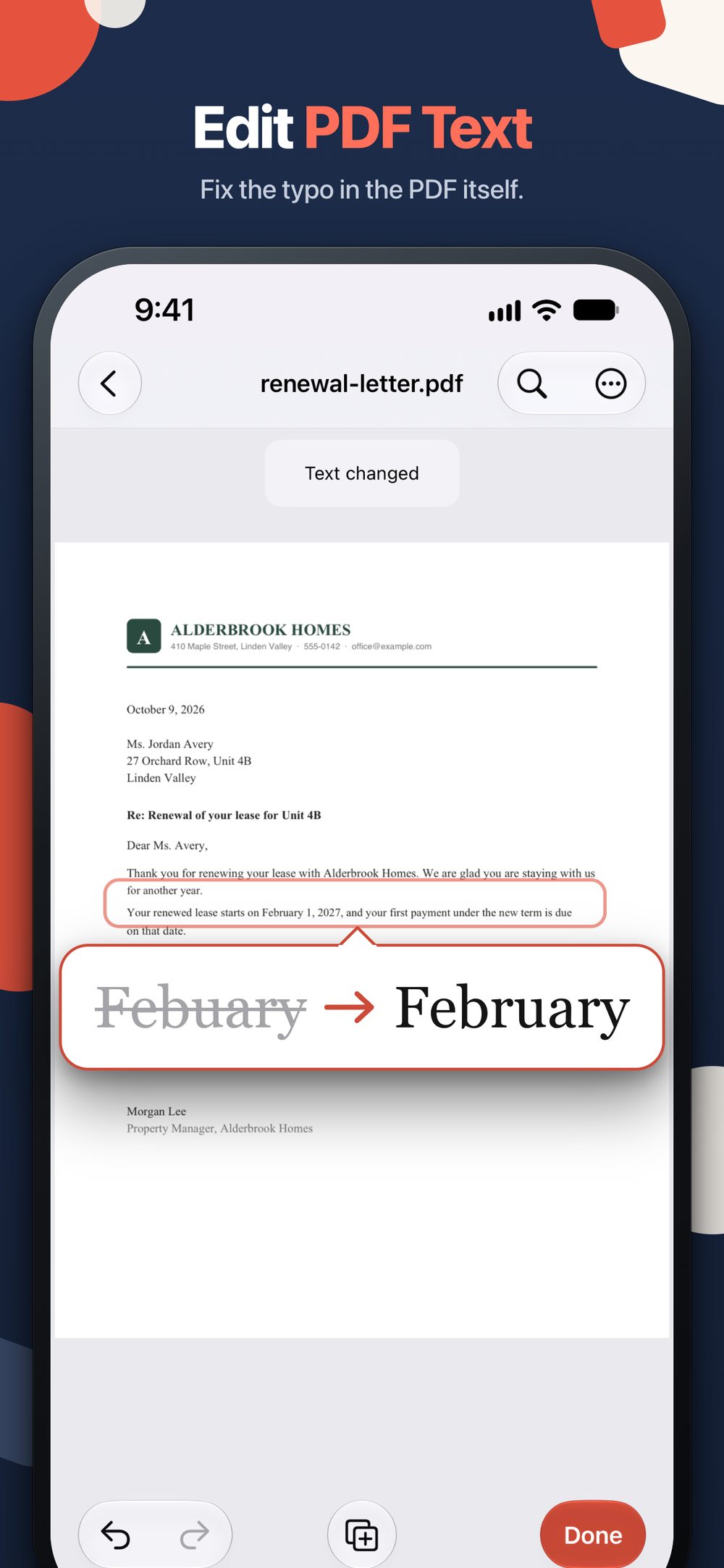
Edit PDF text: tap a line and fix the typo or the date (Pro)
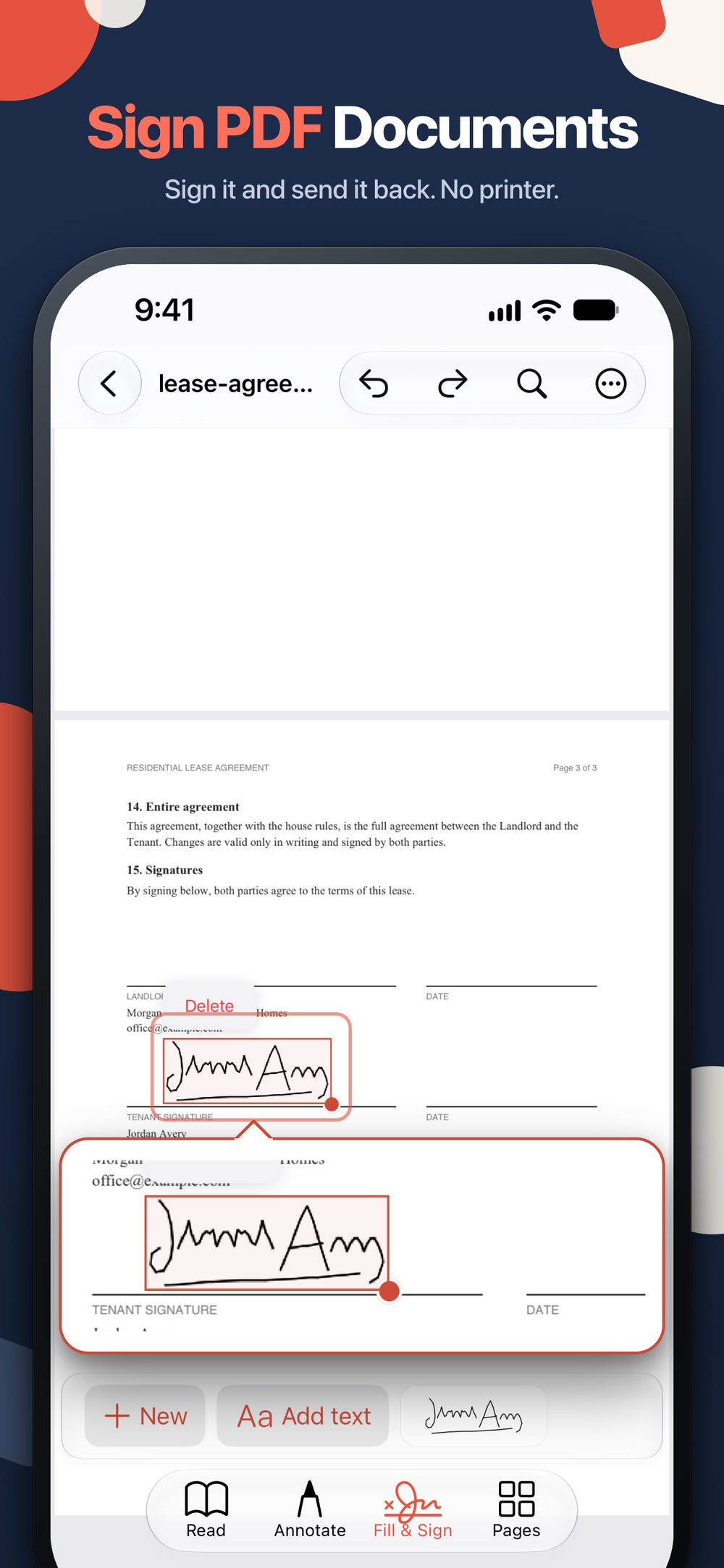
Sign PDFs and fill out forms, with your saved signature one tap away
Chat with a long PDF and get answers with the page they came from (Pro)
Merge, split, compress, and convert PDF to Word and back (Pro)
Redact names and numbers for good, or lock a PDF with a password (Pro)
Reorder, rotate, extract and delete pages, or add pages from Files, Photos or a new scan (Pro)
Highlight, underline, draw and add notes, no Pro needed
Share the finished PDF straight from the app
Your documents and your questions to Chat stay on your device
Why we built it
Most PDF jobs on a phone are small: one typo, one signature, one form, one file too big to email. myPDF puts them in one app on iPhone and iPad, and Pro is a single purchase with no subscription and no account.
At a glance
- What it does: edit the text and images in a PDF, fill and sign forms, scan paper to PDF, merge, split, compress, convert to and from Word, and redact names and numbers so the text is removed, not just covered.
- Platforms: iPhone and iPad with iOS 16 or later, and Macs with Apple silicon and macOS 13.0 or later, on the App Store, and Android 8.0 or later on Google Play. A Windows version is to follow.
- Pricing model: scanning, signing, form filling and reading come with the download. Pro is a one-time purchase with a trial, and there is no subscription. Prices vary by country.
- No account needed. On iPhone and iPad, Chat answers questions about a long PDF with the page each answer came from; it uses Apple Intelligence where available, otherwise a one-time download, then runs on the device.
- Languages: the app is in English, Spanish, Chinese, German, French, Italian, Romanian, Czech and Arabic.
- Publisher: Future Software Solutions SRL.
Frequently Asked Questions
Without Pro you can scan to PDF, turn photos into a PDF, sign, fill out forms, and read and mark up PDFs with highlights, drawings and notes. Pro unlocks editing text and images, redact, compress, merge and split, converting to and from Word, page tools, passwords, text recognition (OCR) on scans, and Chat. Pro is a one-time purchase, not a subscription.
Yes. Mark an area or search for a name or number, and the text under the black box is removed from the file, not just covered. myPDF asks before it applies the redaction, because it can't be undone.
iPhone and iPad with iOS 16 or later, Macs with Apple silicon and macOS 13.0 or later, and Android phones with Android 8.0 or later through Google Play. Chat is on iPhone, iPad and Mac: it uses Apple Intelligence where available, otherwise on iPhone and iPad a one-time download first. On the Mac, Chat needs Apple Intelligence.
Chat answers only from the text of the PDF you ask about and shows the page each answer came from. On iPhone and iPad without Apple Intelligence it runs on the device after a one-time download. myPDF needs no account.
Yes. Photos to PDF comes with the app: pick photos and save them as one PDF. Compress is a Pro tool that shrinks the file and keeps the text selectable, handy when a PDF is too big to email.
The scanner finds the page edges for you. On the Adjust screen you can crop each page with a loupe, rotate it and pick a filter (Original, Color, Grayscale, B&W). Shadow cleanup and searchable text (OCR) are Pro.
Yes, with Pro. Tap a line and fix the typo or the date. It works on PDFs with real text; scanned pages and some fonts can't be edited, and the app tells you when that's the case.


